Your Privacy Choices

As described in our Privacy Policy, we collect personal information from your interactions with us and our website, including through cookies and similar technologies. We may also share this personal information with third parties, including advertising partners. We do this in order to show you ads on other websites that are more relevant to your interests and for other reasons outlined in our privacy policy.

Sharing of personal information for targeted advertising based on your interaction on different websites may be considered "sales", "sharing", or "targeted advertising" under certain U.S. state privacy laws. Depending on where you live, you may have the right to opt out of these activities. If you would like to exercise this opt-out right, please follow the instructions below.

If you visit our website with the Global Privacy Control opt-out preference signal enabled, depending on where you are, we will treat this as a request to opt-out of activity that may be considered a “sale” or “sharing” of personal information or other uses that may be considered targeted advertising for the device and browser you used to visit our website.

Listing Studio

Create more listings, with less repetitive work.

Listing Studio is a desktop app built for miniature sellers who want to prepare multiple listings quickly and consistently.

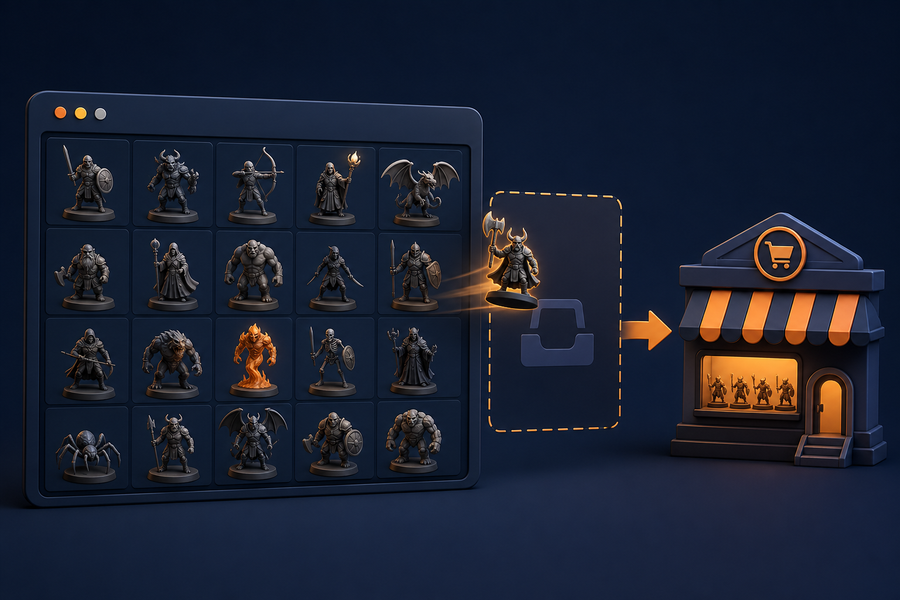
Enter products in one simple grid. Titles and descriptions update as you work. Add variations, prices, images, tags, artist sections, measurements, and shipping details—then create drafts when everything is ready.

Built for miniature listings

Whether you sell character miniatures, monsters, busts, or terrain, Listing Studio keeps the repeated parts of listing creation in one place.

  • Generate listing titles and descriptions automatically
  • Set miniature measurements and scale information
  • Add variations, prices, and product media
  • Keep default tags and materials consistent
  • Organize listings by artist section
  • Automatically select the right shipping and processing settings
  • Create drafts in bulk from your desktop

Prepare everything before you publish

Build listings in a familiar spreadsheet-style workspace without needing to edit each listing one at a time.

Review every row, arrange images, and make changes before sending anything to your shop. When you are ready, create drafts for review or publish valid listings directly.

Your listing workflow, in one place

  1. Add each miniature to the grid.
  2. Enter its type, artist, name, measurements, and pricing.
  3. Add and arrange product photos.
  4. Review the generated title, description, tags, and variations.
  5. Create drafts or publish listings when they are ready.

Made for sellers who make the miniatures

Listing Studio is a private desktop tool designed to help miniature sellers spend less time repeating listing setup and more time creating.